Terminal UI
TUI:终端原生产品界面
LoFiBox TUI 适合 SSH、Linux 桌面终端、无桌面服务器、小型 Linux 设备和开发者/创作者工作流。
启动方式
lofibox tui
lofibox tui dashboard
lofibox tui now
lofibox tui lyrics
lofibox tui spectrum
lofibox tui queue
lofibox tui eq
lofibox-tui --theme amber --charset unicode
Dashboard
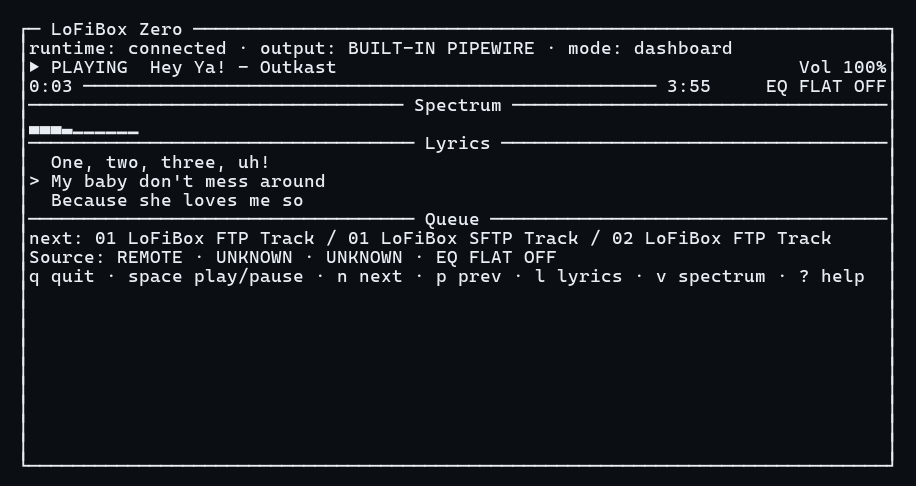
Dashboard 从上到下组织为 Header / Now Playing / Progress / Spectrum + Lyrics + Queue / Source + EQ + Diagnostics / Footer。 它读取 runtime snapshot 和 event stream,不直接访问 audio backend、lyrics provider 或 library scanner。
Lyrics
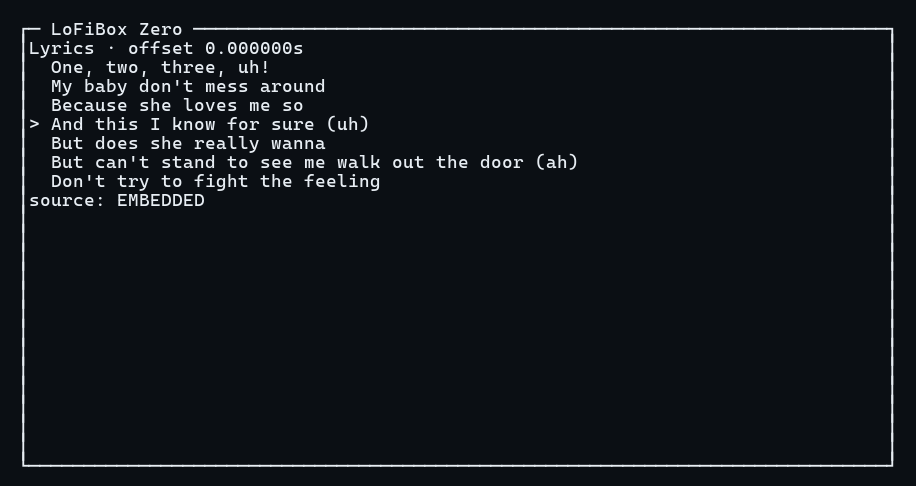
Lyrics 模式专注歌词滚屏。同步歌词显示当前行,普通歌词按可见窗口展示;无歌词时显示 embedded、local .lrc、online provider 的来源状态。
Spectrum
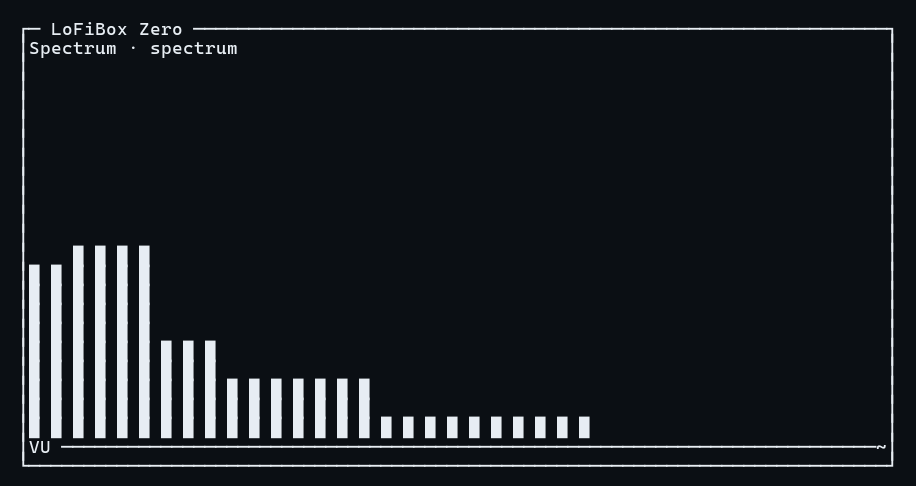
Spectrum 模式使用 runtime visualization projection,默认 10 段,可扩展为 16/32 段显示、bars、waveform、VU meter、peak hold 与 decay。
Queue
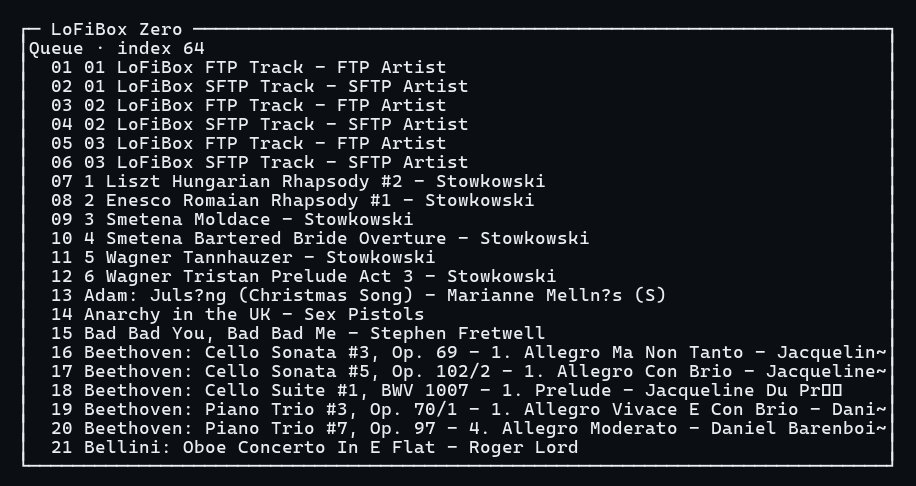
Queue 模式显示 active queue、active index、title、artist、duration 和 source label。选择、跳转、删除、移动都映射为 runtime command。
字符集与主题
| 配置 | 命令 | 说明 |
|---|---|---|
| Unicode Rich | lofibox tui --charset unicode |
默认模式,使用 box drawing、频谱块、播放状态符号。 |
| ASCII Safe | lofibox tui --charset ascii |
低兼容终端使用 + / - / | 和 # 进度条。 |
| Minimal | lofibox tui --charset minimal |
极窄或日志环境,只保留核心状态和必要提示。 |
| 主题 | --theme dark|light|amber|mono --no-color |
颜色只是增强,无色模式必须完整可用。 |
自适应布局
TUI 根据终端尺寸自动切换,低于 32x8 时显示明确错误。
| 布局 | 尺寸 | 显示重点 |
|---|---|---|
| Wide | >= 100x30 | Spectrum / Lyrics / Queue 三栏并排。 |
| Normal | >= 80x24 | Now Playing、进度、Spectrum、Lyrics、Queue 分段。 |
| Compact | >= 60x16 | 状态、进度、频谱、当前歌词、下一首。 |
| Micro | >= 40x10 | 曲名、时间、音量、短频谱、当前歌词。 |
| Tiny | >= 32x8 | 曲名、时间、短频谱、退出提示。 |
快捷键
| 按键 | 动作 | runtime 映射 |
|---|---|---|
| Space | 播放/暂停 | PlaybackToggle |
| n / p | 下一首 / 上一首 | QueueStep(+1/-1) |
| s | 停止 | PlaybackStop |
| Left / Right | seek -5s / +5s | PlaybackSeek |
| e | 切换 EQ | EqEnable / EqDisable |
| R | 切换 Remix 音效 | AudioEffectCycle |
| l / v / Q | Lyrics / Spectrum / Queue 页面 | TUI 本地焦点 |
| / | 搜索模式 | Runtime query |
| : | Command Palette | 受控 runtime command,不执行 shell |
| q | 退出 TUI | 只关闭界面,不发送 stop |
安全边界:
TUI 禁止执行任意 shell、读取明文凭据、绕过 runtime command bus、直接扫描媒体库或直接调用播放后端。